
关于此 MOD
FTM supports content packs, allowing other mods to configure spawning automatically. If any of your other mods come with "[FTM]" folders, they will automatically use FTM to spawn custom content.
???? In other languages: zh (中文)
Installation
1. Install the latest version of SMAPI.
2. Download FarmTypeManager from the Files tab, the GitHub releases page, or ModDrop.
3. Unzip FarmTypeManager into the Stardew Valley/Mods folder.
If you have other mods that require FTM, then you're all set!
Notes for multiplayer: All players should have this mod installed. If only the host has this mod, other players might encounter SMAPI errors or be unable to see/interact with some objects and monsters.
Only the host's spawn settings will actually be used in multiplayer. Console commands should generally work for all players.
Options
FTM has a few basic "global" options for players, such as a limit to the number of monsters allowed in each area. To edit these options:
1. Run the game using SMAPI.
2. Open the config.json file in the Stardew Valley/Mods/FarmTypeManager folder and edit its settings. Refer to the Mod Settings section on Github for more info.
Alternatively, you can install Generic Mod Config Menu (GMCM) and edit these settings in Stardew's main menu (look for a gear icon). The menu should display tooltips to explain each setting.
Translation
FTM supports translation of its GMCM setting names and descriptions.
The mod will load a file from the FarmTypeManager/i18n folder that matches the current language code. If no matching translation exists, it will use default.json.
See the Stardew Valley Wiki's Modding:Translations page for more information. Please feel free to submit translation files by linking them in a comment, submitting a GitHub pull request, or any other method.
The mod currently includes these translations:
English
Chinese (Simplified) (by SummerFleur)
Dutch (by UnrealThingTriesCode)
French (by Fsecho7)
German (by 777PamPam777)
Portuguese (Brazilian) (by roanrobersson)
Turkish (by Rupurudu)
Ukrainian (by burunduk)
Customization
FTM is mainly used by content pack mods, but it can be also customized for personal use. To change settings for a specific character:
1. Run the game using SMAPI.
2. Load the farm you want to customize or create a new one. This will create files for your character in the Stardew Valley/Mods/FarmTypeManager/data folder.
3. Find the .json file with your character's name on it. Load it with the ConfigEditor.html file in the FarmTypeManager folder, or edit manually with any text editor.
4. Customize the file's settings. For more info, see the Config Editor's tooltips or the GitHub readme.
5. Exit your farm and reload it, or progress to the next in-game day. The mod's settings are updated every morning.
Modders: To learn about creating FTM content packs, see the GitHub readme. The Content Packs section explains how to start a new content pack.
Commands
This mod adds the following commands to SMAPI's console:
The whereami command. Enter it to display information about your current location, including:
- The map's name (e.g. "Farm" or "BusStop")
- Your current tile's X/Y coordinates
- The tile's terrain type (e.g. "Dirt" or "Stone")
- Whether the tile is "Diggable" with tools
- The tile's spritesheet index number (used to identify "Quarry" tiles or set up custom tile-matching)
The list_monsters command. Enter it to display a list of available monster names to use with the MonsterName configuration setting.
The command will list the primary name of each monster from Stardew Valley itself, and then scan other mods for custom monster classes.
The remove_items command. Enter it to delete an item or object directly in front of the player. This can be useful for certain objects that players can't remove normally, e.g. "permanent" objects spawned by mods.
星露谷物语 的热门 MOD

内容修补程序
Pathoschild2025-07-28 06:03:57
加载内容包,更改游戏的数据、图像和地图,而不替换XNB文件。
内容补丁
Pathoschild2025-10-26 17:17:30
加载内容包,这些内容包会更改游戏的数据、图像和地图,而不会替换 XNB 文件。
SMAPI-Stardew修改API
Pathoschild2025-07-15 09:52:47
Stardew Valley的mod加载器。
NPC地图位置
Bouhm2025-05-26 10:22:12
在地图上看到NPC和玩家,有一个可选的小地图。
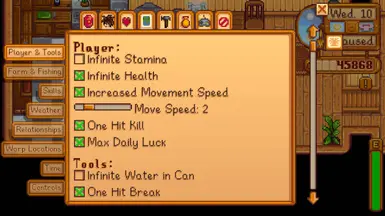
CJB秘籍菜单
Pathoschild2025-07-28 06:19:19
一个简单的游戏作弊菜单,有很多作弊。
SpaceCore
spacechase02025-05-28 10:06:38
A framework mod used by some of my other mods.
星露谷扩建
FlashShifter2025-07-01 07:17:39
mod描述游戏中玩家扮演继承了爷爷农场的“Stardew valley”主角开阔和经营整座小牧场。 你继承了爷爷在星露谷的农场,但是你手头上只有最基础的农具和少许的金钱,你得靠此开始你的新生活。你能把这片杂草丛生的田地变成一个繁荣的家园吗?这很不容易,自从JOJA公司来到了小镇,以前的生活都变了。社区中心,这个曾经是小镇最活跃的地方,如今却是破烂不堪。但山谷里似乎充满了机会,只要你肯努力,就有可能把星露谷变得更繁荣。 开始游戏后,玩家可以通过捏人的方式创建自己所喜爱的角色。人物共有24种肤色,32
农场类型经理(FTM)
EscaMMC2025-07-22 13:55:17
农场类型管理器(FTM)是一个框架,允许其他模组在游戏中的任何地方生成对象和怪物,具有各种控制和自定义选项。