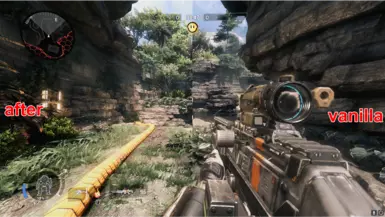
关于此 MOD
如果你喜欢你所得到的,请不要忘记喜欢!A;《泰坦陨落2》的重新着色预设-更好的外观、更鲜艳的颜色、更少的褪色、更好的对比度等。 ...或简称:;我只是根据自己的口味调整我的预设。看
Video: (V1.2)
PRESET INCLUDES:
ColorMatrix [ColorMatrix.fx]
Levels [Levels.fx]
LumaSharpen [LumaSharpen.fx]
Technicolor2 [Technicolor2.fx]
Blooming_HDR [BloomingHDR.fx]
Known Issue:
If you start the game, and also a match, 2 phrases are over bloom, but that should not bother you. The important texts (menu / GUI) are still displayed clearly.
This is because a strong Bloom effect has already been placed onfixed in Version 1.1
NOTE:
You need reshade to get this to work. I used the version v4.9.1 (at the moment the newest)
INSTALL TUTORIAL:
- Download ReShade - https://reshade.me
- Click ReShade_Setup_x.x.x
- Click "Manage ReShade Installation" and choose "Titanfall2.exe" (NOT trial !).
+ If Titanfall2 not showed up you can open the game path manually to choose the Titanfall2.exe by your own.
- Choose Direct3D 10/11/12.
- Press "Unselect all" then "Select all" and finish the Installation
+ if you want to install only the necessary presets, above are my used one.
-Go to the installation directory of Titanfal2 to copy and paste my preset "titanfall2-remasterd.ini" ( On the root of the game directory where Titanfall2.exe is also located)
- In game, press the home (pos 1) key to open the reshade menu. In the dropdown menu, select my preset ""titanfall2-remasterd vX.X.ini"
If the game Crash on start:
On the root of the game directory where Titanfall2.exe is located, rename dxgi.dll to d3d11.dll (Not happen to me, but it can occur)
To easy turn on of all PRESET
- Press Home (POS 1) to open the Reshade Menu
- Go to the second tap "settings
- On General (Second line) click in the Textbox next to "Effect toggle Key" and press any key you want
- Click outside of the Textbox (Otherwise the next key that you press will override the key you set)
-Press Home (POS1), have fun.
If you not like what you see / shoutout:
You can also try GreebusBeebus Rshade "Simple ReShade - Titanfall 2"
(I hope it's okey that I let myself be "inspired" a lot by your description )
Closing words
First time I sharing my work, I'm happy about any tip.
Video: (V1.2)
PRESET INCLUDES:
ColorMatrix [ColorMatrix.fx]
Levels [Levels.fx]
LumaSharpen [LumaSharpen.fx]
Technicolor2 [Technicolor2.fx]
Blooming_HDR [BloomingHDR.fx]
Known Issue:
This is because a strong Bloom effect has already been placed on
NOTE:
You need reshade to get this to work. I used the version v4.9.1 (at the moment the newest)
INSTALL TUTORIAL:
- Download ReShade - https://reshade.me
- Click ReShade_Setup_x.x.x
- Click "Manage ReShade Installation" and choose "Titanfall2.exe" (NOT trial !).
+ If Titanfall2 not showed up you can open the game path manually to choose the Titanfall2.exe by your own.
- Choose Direct3D 10/11/12.
- Press "Unselect all" then "Select all" and finish the Installation
+ if you want to install only the necessary presets, above are my used one.
-Go to the installation directory of Titanfal2 to copy and paste my preset "titanfall2-remasterd.ini" ( On the root of the game directory where Titanfall2.exe is also located)
- In game, press the home (pos 1) key to open the reshade menu. In the dropdown menu, select my preset ""titanfall2-remasterd vX.X.ini"
If the game Crash on start:
On the root of the game directory where Titanfall2.exe is located, rename dxgi.dll to d3d11.dll (Not happen to me, but it can occur)
To easy turn on of all PRESET
- Press Home (POS 1) to open the Reshade Menu
- Go to the second tap "settings
- On General (Second line) click in the Textbox next to "Effect toggle Key" and press any key you want
- Click outside of the Textbox (Otherwise the next key that you press will override the key you set)
-Press Home (POS1), have fun.
If you not like what you see / shoutout:
You can also try GreebusBeebus Rshade "Simple ReShade - Titanfall 2"
(I hope it's okey that I let myself be "inspired" a lot by your description )
Closing words
First time I sharing my work, I'm happy about any tip.
泰坦陨落2 的热门 MOD
探索适用于 泰坦陨落2 的最佳MOD,带来新功能、升级画面,以及令人兴奋的方式来改变您的游戏体验。
切换HUD
2020-07-05 04:58:16
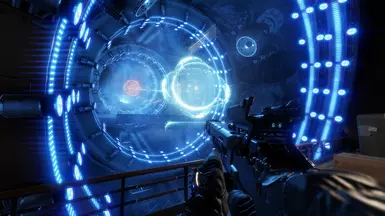
这使您可以使用盖锁关闭和打开HUD。

英文名称:Simple ReShade - Titanfall 2
GreebusBeebus2021-02-21 08:55:31
Titanfall 2的简单重新着色预设-更好的颜色、对比度、更暗的阴影等。总的来说,这只是一个更好看的图像。
英文名称:Titanfall 2 Remasterd
Gammelstulle2021-09-04 04:15:00
如果你喜欢你所得到的,请不要忘记喜欢!A;《泰坦陨落2》的重新着色预设-更好的外观、更鲜艳的颜色、更少的褪色、更好的对比度等。 ...或简称:;我只是根据自己的口味调整我的预设。看
ViewModel FOV-TitanFall 2
abi0082022-06-05 04:55:24
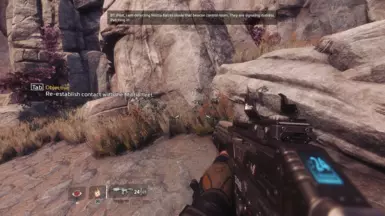
更改Viewmodel视野。飞行员70>80//泰坦75>90
Horny Grapple-为Grapple(北极星)而设的莫安湾
RwynRX2022-05-30 06:45:33
一个简单的mod将你的Grapple的第一声火光变成了动漫女孩的呻吟。
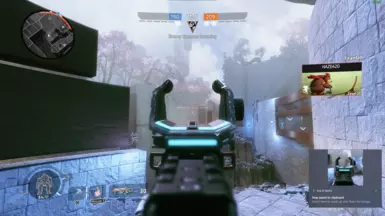
武器视场固定
JustPrem2022-05-10 03:42:39
武器视场修正。
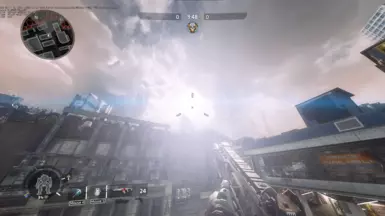
太阳耀斑消失了
TwoFiftySix2021-12-30 21:28:42
删除某些地图中烦人的太阳耀斑
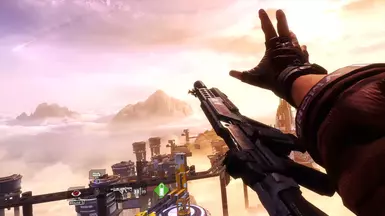
BT-7274-超光线追踪GI HDR重影
Griffterthefirst2022-04-28 15:25:45
与帕斯卡尔·吉尔彻斯·特吉重拍。(你需要有pascal的rtgi着色器——对于那些不想要rtgi的人,也有一个非rtgi版本)